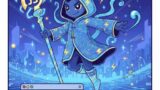
「画面に入力した文字列の表示」の他に「背景画像」「セキュリティ(XSS対策)」「数字の縦書き(2桁は横並び、3桁以上は縦並び)」「クリアボタン」を追加しています。
コードエディター 本文
<div id="image-container">
<div id="overlay-text"></div>
</div>
<div class="ui-container">
<textarea id="user-input" placeholder="文章を入力してください 例:数字2桁12は横並び 1234は縦並び"></textarea>
<button id="clear-btn">入力をクリア</button>
</div>
カスタムJavaScript
        const textArea = document.getElementById('user-input');
        const displayElement = document.getElementById('overlay-text');
        const clearBtn = document.getElementById('clear-btn');

        // 入力を処理してプレビューに反映
        const updatePreview = () => {
            let val = textArea.value;

            // 1. エスケープ処理(セキュリティ対策)
            let safeText = val
                .replace(/&/g, "&")
                .replace(//g, ">");

            // 2. 2桁の数字のみを縦中横に変換(前後が数字でないことが条件)
            // これにより 123 などの3桁以上は縦に並ぶ
            let formattedText = safeText.replace(/(?$1');

            // 3. 改行の反映
            formattedText = formattedText.replace(/\n/g, '
');

            displayElement.innerHTML = formattedText;
        };

        // 入力イベントの監視
        textArea.addEventListener('input', updatePreview);

        // クリアボタンの処理
        clearBtn.addEventListener('click', () => {
            if (textArea.value !== "") {
                textArea.value = "";
                displayElement.innerHTML = "";
                textArea.focus();
            }
        });
カスタムCSS
    :root {
        --primary-color: #4A90E2;
        --danger-color: #e74c3c;
        --bg-page: #f8f9fa;
    }

    /* 画像コンテナ */
    #image-container {
        position: relative;
        width: 100%;
        max-width: 500px;
        aspect-ratio: 1 / 1;
        background-image: url('ここに背景画像のURL'); /* 背景画像 */
        background-size: cover;
        background-position: center;
        box-shadow: 0 10px 25px rgba(0,0,0,0.2);
        border-radius: 4px;
        margin-bottom: 24px;
    }

    /* 縦書きテキスト表示エリア */
    #overlay-text {
        position: absolute;
        /* 表示範囲を調整(上下左右に余白) */
        top: 40px;
        right: 30px;
        bottom: 10px;
        left: 30px;

        /* 縦書き設定 */
        writing-mode: vertical-rl;
        -webkit-writing-mode: vertical-rl;

        font-family: "游明朝", "Yu Mincho", "YuMincho", "Hiragino Mincho ProN", "MS P明朝", serif;

        /* 数字を寝かせない設定 */
        text-orientation: upright;
        -webkit-text-orientation: upright;

        /* 文字のデザイン */
        color: white;
        font-size: 1.8rem;
        font-weight: bold;
        line-height: 1.6;
        text-shadow: 2px 2px 8px rgba(0,0,0,0.8);

        white-space: pre-wrap;
        word-break: break-all;
        pointer-events: none; /* 下の画像への干渉を防ぐ */
    }

    /* 2桁数字を横並びにする(縦中横) */
    .tcy {
        -webkit-text-combine: horizontal;
        text-combine-upright: all;
        margin: 0 0.1em;
    }

    /* 入力用UI */
    .ui-container {
        width: 100%;
        max-width: 500px;
        display: flex;
        flex-direction: column;
        gap: 12px;
    }

    textarea {
        width: 100%;
        height: 120px;
        padding: 15px;
        border: 2px solid #ddd;
        border-radius: 12px;
        font-size: 16px;
        box-sizing: border-box;
        resize: none;
        transition: border-color 0.2s;
    }

    textarea:focus {
        outline: none;
        border-color: var(--primary-color);
    }

    #clear-btn {
        width: 100%;
        padding: 12px;
        background-color: var(--danger-color);
        color: white;
        border: none;
        border-radius: 8px;
        font-weight: bold;
        cursor: pointer;
        transition: opacity 0.2s;
    }

    #clear-btn:hover {
        opacity: 0.9;
    }