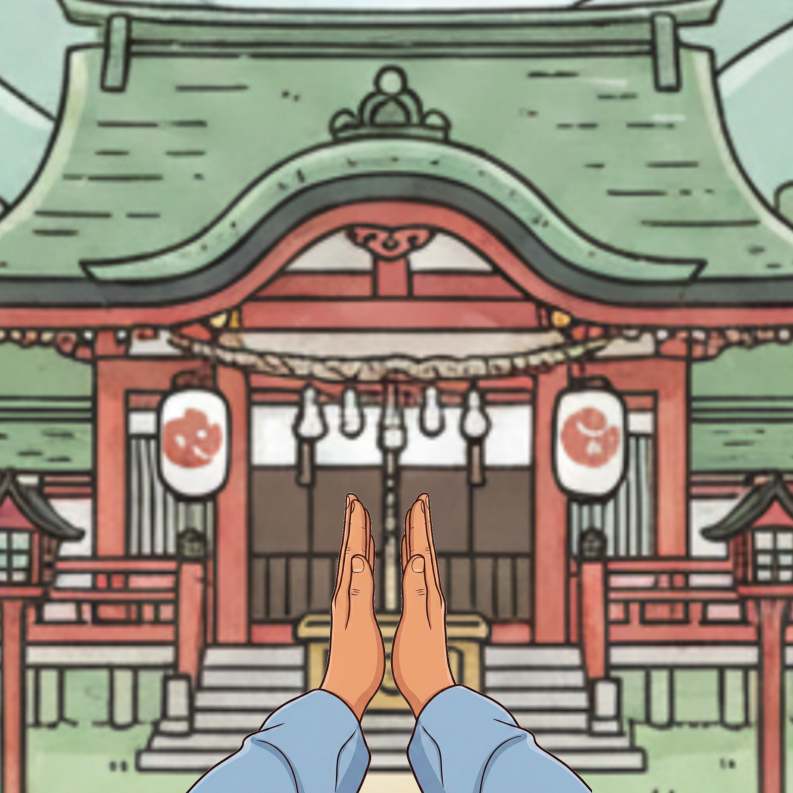
お賽銭を入れ、鈴を鳴らします
二礼:深いお辞儀を2回繰り返します
二拍手: パンパンと2回手を打ちます
お祈り: 手をぴったり合わせ、感謝や願い事を伝えます
一礼:最後に深く1回お辞儀をします
コードエディター 本文
    <img id="targetImage" src="元の画像のURL" alt="元の画像">

    <br><br>

    <button id="changeBtn">ボタン</button> /* ボタンに表示する文字 */
カスタムJavaScript
        // 1. 要素を取得
        const image = document.getElementById('targetImage');
        const button = document.getElementById('changeBtn');

        // 元の画像と変更後の画像のパスを設定
        const originalSrc = "元の画像のURL";
        const newSrc = "変更後の画像のURL";

        // 2. ボタンクリック時の処理
        button.addEventListener('click', () => {

            // 画像を新しいものに切り替え
            image.src = newSrc;

            // ボタンを一時的に無効化(連打防止のため)
            button.disabled = true;
            button.textContent = "処理中……";

            // 3. setTimeoutを使って、指定時間後に元の画像に戻す
            setTimeout(() => {
                image.src = originalSrc;

                // ボタンを再度有効化
                button.disabled = false;
                button.textContent = "ボタン"; /* ボタンに表示する文字 */

            }, 140); // 140ミリ秒 = 0.14秒
        });
カスタムCSS
#changeBtn {
  background: linear-gradient(to bottom, #d2a679, #8b5a2b); /* 木の色 */
  color: #fff;
  text-shadow: 1px 1px 2px rgba(0, 0, 0, 0.5); /* 文字を少し彫ったような効果 */
  padding: 12px 30px;
  border: 1px solid #704214;
  border-radius: 4px;
  font-weight: bold;
  cursor: pointer;
  box-shadow: inset 0 1px 0 rgba(255, 255, 255, 0.2); /* 内側の光 */
  transition: 0.2s;
}

#changeBtn:hover {
  filter: brightness(1.1); /* 少し明るくする */
}