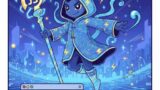
画面上部のボタンを長押しすると、下の透明なエリアからスルスルと画像が吊り上がってきて、一番上まで来ると「画像を固定しました」と表示が出て画像が固定されるようになります。
途中でボタンを離すと画像は落ちます。
前面のコンテナで画像を動かしていますが、背景の文字や背景画像は釣り糸越しに透けて見えます。
途中でボタンを離すと画像は落ちます。
前面のコンテナで画像を動かしていますが、背景の文字や背景画像は釣り糸越しに透けて見えます。
*こんな時に*
吊り上げる画像より先に文章や別の画像を印象付けたいとき”summary”や”display”よりも○○っぽいです。
コードエディター 本文
<div id="fishing-game">
<div id="fishing-line"></div>
<div class="back-text">
/* ここに文章を書いてください */
</div>
<div id="target-container">
<img src="https://blog.sikigaku.net/wp-content/uploads/2025/12/1767039747905.jpg" id="fishing-target" alt="">
</div>
<button id="reel-button">
文章を読んだら長押して<br><span class="btn-icon">🎣</span>
</button>
</div>
カスタムJavaScript
document.addEventListener('DOMContentLoaded', () => {
    const button = document.getElementById('reel-button');
    const target = document.getElementById('target-container');
    const line = document.getElementById('fishing-line');
    const gameContainer = document.getElementById('fishing-game');

    let isPressing = false;
    let isFixed = false;
    let position = -210;
    let animationFrame;

    function updateFishing() {
        const gameHeight = gameContainer.clientHeight;
        const targetHeight = target.clientHeight;

        if (isFixed) return;

        if (isPressing) {
            // 釣り上げる速度
            position += 5;

            // 上端(ボタンの少し下あたり)で固定
            const stopPosition = gameHeight - targetHeight - 60; // 60pxはボタンの余白
            if (position >= stopPosition) {
                position = stopPosition;
                isFixed = true;
                button.innerHTML = "<span class='btn-icon'>🎣</span><br>画像を固定しました";
                button.style.background = "#ffd700";
                button.style.color = "#333";
            }
        } else {
            // 離すと落下
            if (position > -210) position -= 8;
        }

        target.style.bottom = position + 'px';

        // 糸の描画(上端から画像の上端まで)
        const currentTop = gameHeight - position - targetHeight;
        line.style.height = Math.max(0, currentTop) + 'px';

        animationFrame = requestAnimationFrame(updateFishing);
    }

    const startAction = (e) => {
        if (isFixed) return;
        e.preventDefault();
        isPressing = true;
    };

    const stopAction = () => {
        isPressing = false;
    };

    button.addEventListener('mousedown', startAction);
    button.addEventListener('touchstart', startAction);
    window.addEventListener('mouseup', stopAction);
    window.addEventListener('touchend', stopAction);

    updateFishing();
});
カスタムCSS
#fishing-game {
  position: relative;
  width: 100%;
  height: 500px; /* 釣り場の高さ */
  background: transparent; /* コンテナを透明に */
  overflow: hidden;
//  border: 1px dashed #ccc; /* 範囲がわかるように薄い枠線(不要なら消してください) */
}

/* 釣り糸 */
#fishing-line {
  position: absolute;
  top: 0;
  left: 50%;
  width: 2px;
  background: #dde;
  height: 0;
  z-index: 1;
  transform: translateX(-50%);
}

/* 画像コンテナ:横幅200px */
#target-container {
  position: absolute;
  left: 50%;
  bottom: -210px; /* 完全に隠れる位置 */
  width: 200px;
  transform: translateX(-50%);
  z-index: 2;
  pointer-events: none; /* 画像がボタンの邪魔をしないように */
}

#fishing-target {
  width: 100%;
  height: auto;
  display: block;
}

/* 操作ボタン:上部中央に配置 */
#reel-button {
  position: absolute;
  top: 0px;
  left: 50%;
  transform: translateX(-50%);
  /* --- ここを調整 --- */
  width: 200px;       /* 横幅を250pxに固定 */
  height: 50px;        /* 高さを文字に合わせるときは auto を入れる */
  /* ---------------- */
  padding: 0px 5px;
  background: rgba(255, 99, 71, 0.9); /* 少し透けたオレンジ */
  color: white;
  border: 2px solid #fff;
  border-radius: 30px;
  cursor: pointer;
  z-index: 10;
  font-weight: bold;
  box-shadow: 0 4px 6px rgba(0,0,0,0.1);
  user-select: none;
  line-height: 1.2;
}

#reel-button:active {
  background: #ff4500;
  transform: translateX(-50%) scale(0.95);
}

.btn-icon {
  font-size: 1.2em;
}

.back-text {
  margin-top: 80px;
}